How to use PazzMo!
Your first fast in five steps, then every screen, in plain words. PazzMo! is a friendly fasting timer for iPhone, and it works without an account.
Your first fast in five steps
You do not need to set anything up first. The first time you open the app, three welcome pages say hello and explain Lola. The only question is what Lola should call you, and you can skip it.
- Open Today.Today is the first screen. Tick “Don’t show this again” on the last welcome page if you do not want the welcome every time.
- Slide to start.Drag the round button on “Slide to start” all the way to the right. The default plan is Most popular, a 16 hour fast with an 8 hour eating window. You can pick another plan first by tapping the dial.
- Read the safety page, once.The first time, PazzMo! shows “Before your first fast”. Read it, tick the box and tap “Start my fast”. It is not available if you say you are pregnant or breastfeeding, or if a saved birthday is under 18.
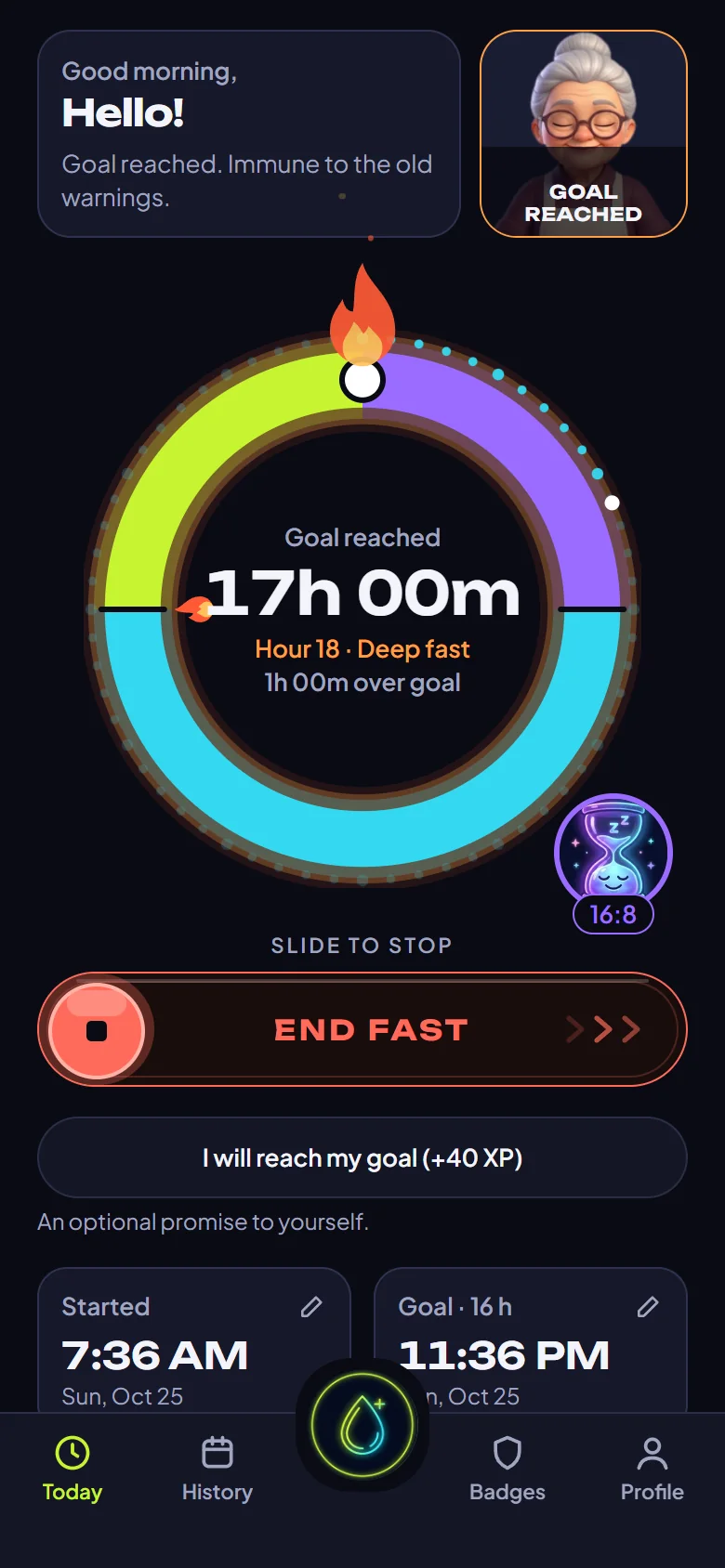
- Watch the ring, and drink.The ring fills as the hours pass. From hour 12 a small flame appears on its edge. Tap a round water button on Today whenever you drink. Lola reminds you.
- Slide to stop.When you are done, or when you want to be, slide to stop. The fast is saved at once, with Undo for ten seconds. Ending early is always fine. Then skip or add the optional steps: weight, a body check photo, a photo of your first food.
Feeling dizzy, shaky, confused or unwell at any time? End the fast and eat. Nothing is lost. There is a “Not feeling well?” link at the bottom of Today.
The five screens
The bar at the bottom has four labelled tabs and a round water-drop button in the middle.
| Tab | What it holds |
|---|---|
| Today | The ring, slide to start and stop, your Started and Goal times, Lola, the hydration card, a daily tip and Lola’s gift. |
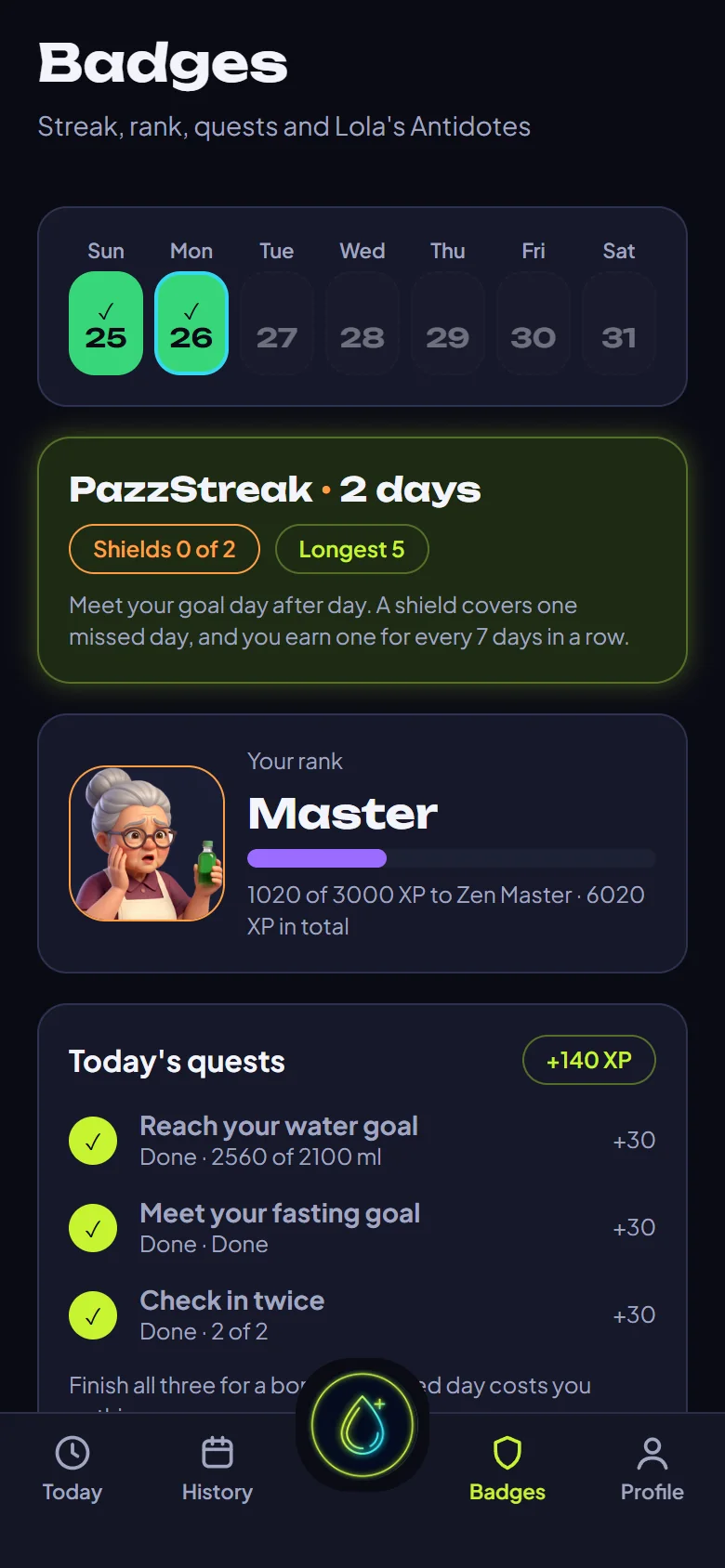
| Journey | Your rank and XP, this week, your weekly ritual and three daily quests, links to your Fit Check diary and to All fasts, and more about you: Lola’s trust, the season, personal bests and weight. |
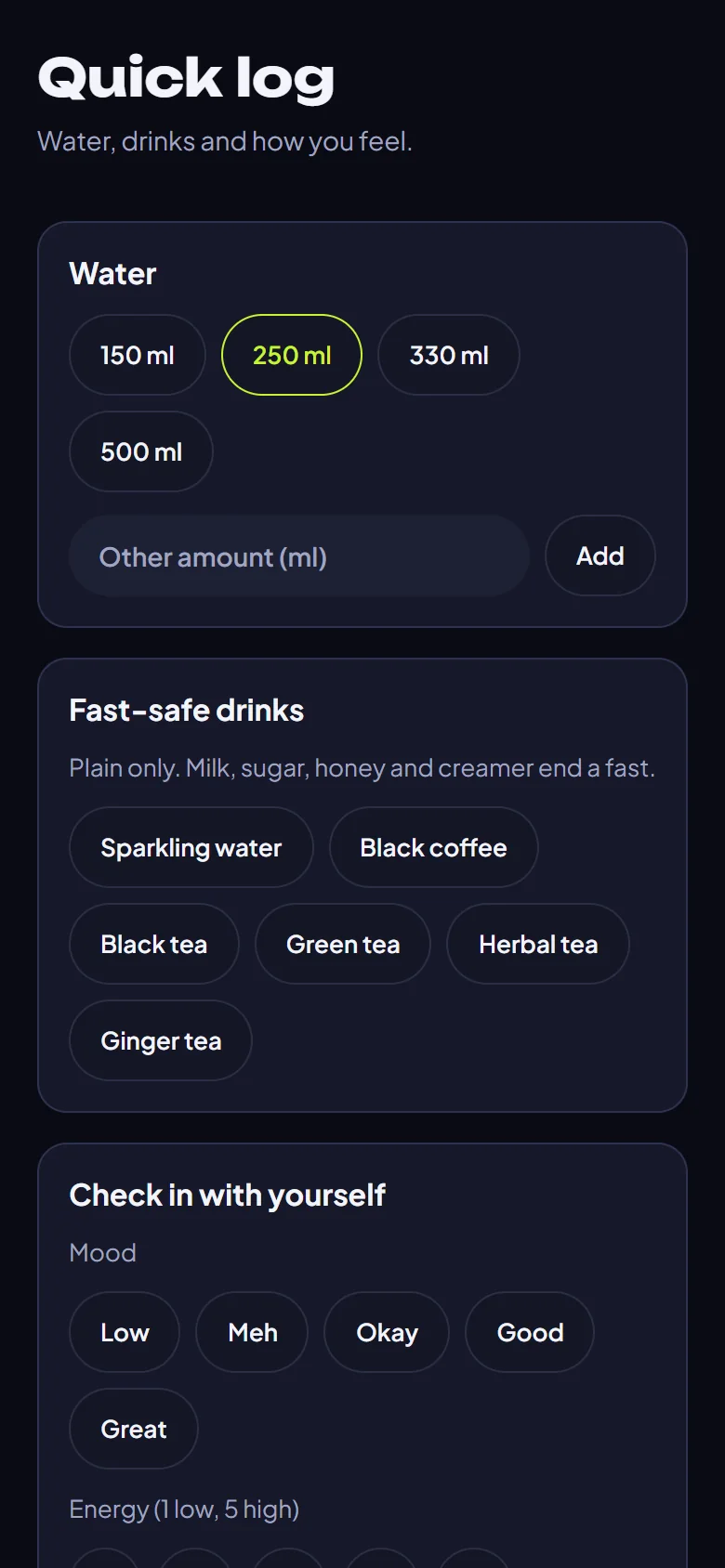
| Quick log (the round button) | Water, fast-safe drinks, three check-in meters and your diary. It opens over the screen you are on and never changes tab. |
| Badges | The 22 badges you can earn and the next one up. |
| You | The Profile screen: your name, your default plan, water and body settings, reminders, looks, backup and your data. |
History is not a tab. Open it from Journey with All fasts, and tap Back to Journey to return. You can also swipe from Journey to Badges and back.
Plans and the ring
| Plan | Fast | Eat within |
|---|---|---|
| Gentle | 12 hours | 12 hours |
| Easy start | 14 hours | 10 hours |
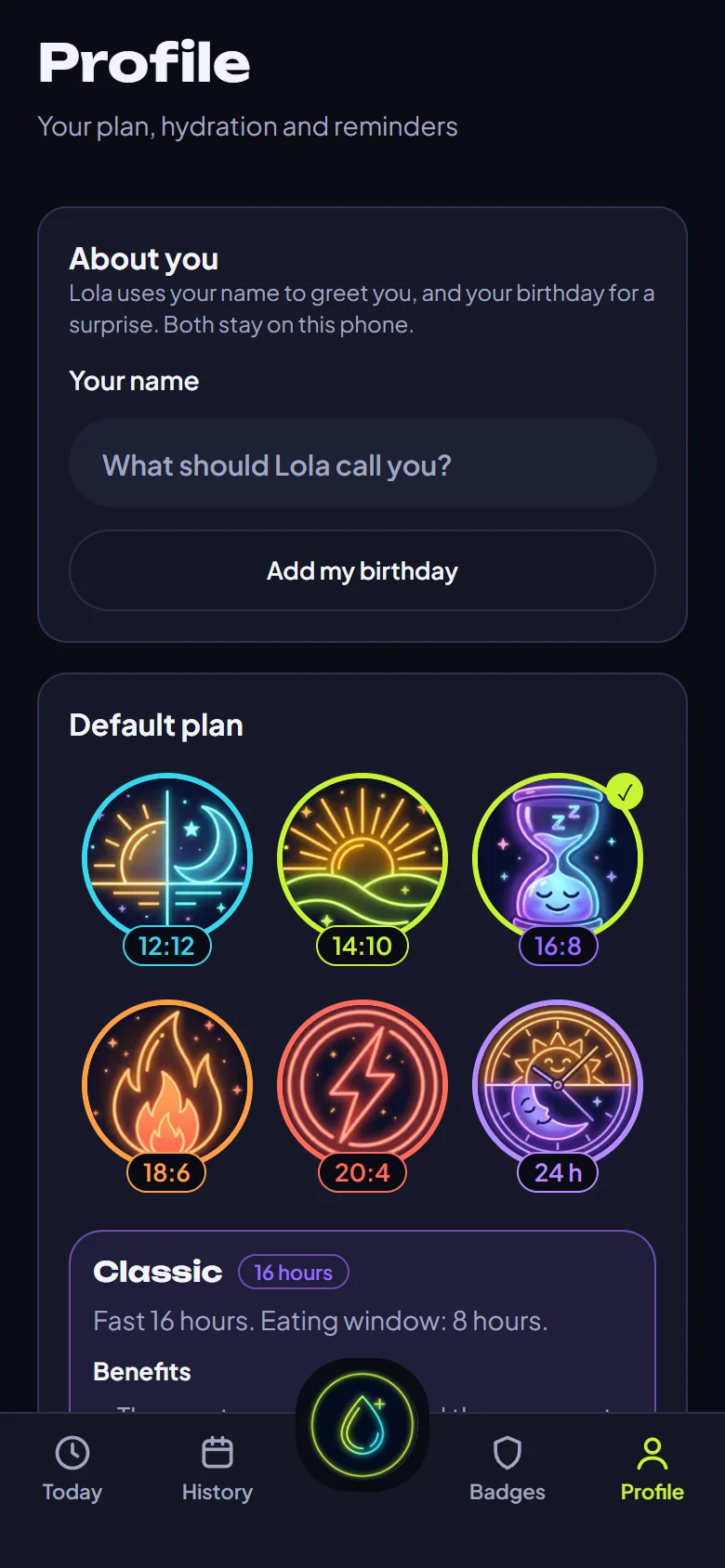
| Most popular (the default) | 16 hours | 8 hours |
| Focused | 18 hours | 6 hours |
| Advanced | 20 hours | 4 hours |
| Rare with care | 24 hours | no window |
| Your own | 1 to 72 hours | you choose |
Your default plan is set in Profile. To use a different plan for one fast only, tap the dial before you start, choose it and tap Use this plan. A fast can never run longer than 72 hours.
While a fast is running
- The ring shows hours and minutes, and how long to go. Under it is the phase name, such as Metabolic switch. The four phases are commonly described stages, a guide and not a measurement of your body: Blood sugar settles 0 to 4 hours, Digestive rest 4 to 12, Metabolic switch 12 to 16, Deep fast 16 and on.
- The flame is a candle from hour 12, a fire from hour 14 and a big flame from hour 24. It marks time only.
- Changed your mind about when you started? Tap the Started card, then “Adjust your start”: pick an earlier time, or choose “Start right now”. The fast keeps running.
- Change the goal? Tap the Goal card, choose another plan and tap Change plan. If that goal is already behind you, the fast simply counts as goal met when you end it.
- Reach my goal is an optional promise worth 40 XP. Ending early is always okay; you just do not get the bonus.
Cancel or end
- Slide to cancel drops the fast and records nothing. You are asked to confirm, and you can undo it for six seconds. A cancelled fast gives its free fast back.
- Slide to stop ends and saves the fast. Undo. Keep fasting reopens it for ten seconds.
Water and drinks
PazzMo! is strict about water because it keeps a fast comfortable. It is gentle about everything else.
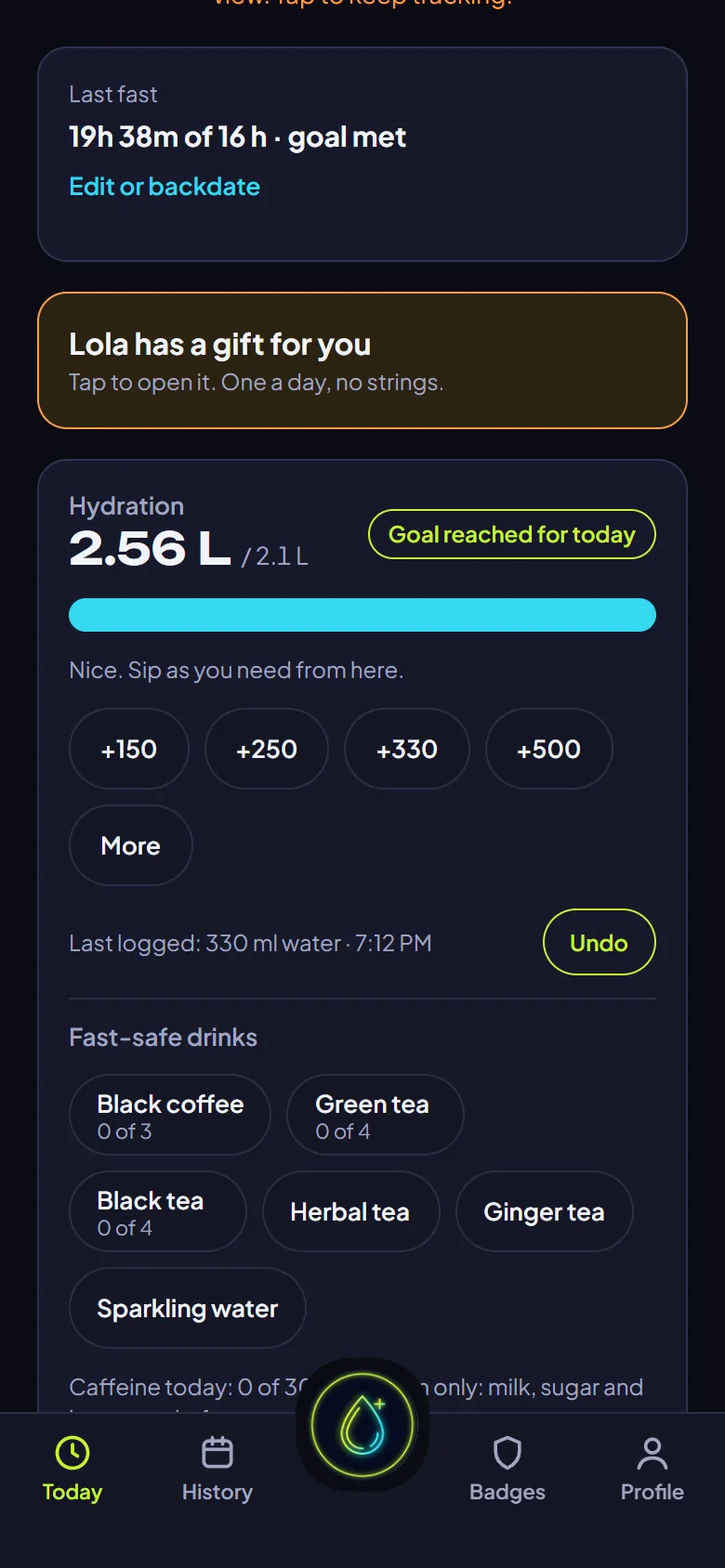
- Your daily goal comes from your body settings and weight, with extra on hot or humid days. With nothing entered it is 2.1 litres. You can see it in Profile.
- Log a drink. On Today, tap the round 150, 250 or 500 ml button. More opens Quick log, with 350 ml and your own amount in steps of 50 ml. A glass fills toward the goal, and a white line shows where you should be by now.
- Logged too much? Every drink has Undo, and the card has an undo icon for the last one.
- Fast-safe drinks in Quick log: sparkling water, black coffee, black tea, green tea, herbal tea and ginger tea. Milk, sugar, honey and creamer end a fast, and the app says so.
- Caffeine is counted: up to 300 mg a day (200 mg if you say you are pregnant or breastfeeding), at least three hours apart, and none from eight hours before bedtime.
- Slow down. About 750 ml in an hour brings a gentle caution. At about one litre in an hour, PazzMo! asks you to pause. A big single drink needs a second tap.
- Kidney, heart or liver condition? Switch that on in Profile and follow your doctor’s fluid advice. The app then hides salt and electrolyte tips.
Check-ins, diary and Fit Check
- Check in with yourself. Tap the round water-drop button, then set mood, energy and craving on three five-step meters and tap Save check-in. Set at least one. Skip it whenever you like.
- My Diary. In Quick log, write in the Diary box and tap Save entry. All entries opens your diary. Slide an entry left to delete it. It is private and only on your phone.
- Weight is optional. Open Body Weight Check from Profile or Journey to log a weight, see your history and chart, and set a target. PazzMo! uses kilograms and centimetres only. Height and a BMI number are optional, BMI is off until you switch it on, it only ever shows on Journey and it is never put on a card.
- After a fast you can add a weight, a body check photo and a photo of your first food, each optional. Fast recorded lists what was saved and has Add now for anything you skipped.
- Fit Check is a private diary of how you felt after a fast, with an optional weight and photo and four feeling chips: Light, Steady, Hungry, Tired. Read it later from Journey, under Fit Check diary. It is for you, not a score, and it is for adults only.
Your weight, Fit Check photos and food photos stay on your phone. They are not uploaded and they are not in your backup file. In Profile, Delete all my photos removes them.
Lola and reminders
Lola Zenda is your fasting buddy. Her mood follows your hours: relaxed at the start, curious from 4 hours, suspicious from 12, worried from 14 and zen from 16. Tap her tile on Today for a joke, or add a birthday in Profile for a zodiac fact.
- Reminders are local to your phone. PazzMo! asks permission for notifications the first time a fast starts. Turn everything off with Reminders in Profile.
- What you can get: a sip reminder (about every 90 minutes, changeable), a nudge when you are behind on water, a hunger-wave heads-up before your usual meal times, a message at each new phase, one when you reach your goal, and a mood check-in (every 3 hours by default).
- Quiet hours. Set your bedtime and wake-up in Profile. There are no reminders or check-ins during your sleep hours.
- See what was sent. Profile, then Notifications: what was sent, lists recent and coming reminders.
- Camera and photos. PazzMo! asks for the camera only when you tap a camera button, and for a photo only when you choose one. It never uses the microphone or your location.
Rewards, for you only
There are no leaderboards, no friends list and no feed. A longer fast never earns more points.
- PazzStreak. A fast day is a day with a fast that reached its goal. Consecutive fast days make a streak. Every seven in a row earns a shield, up to three, which covers one missed day.
- XP and ranks. A goal-met fast earns 100 XP, a water goal 50, quests 30 each. Seven ranks run from Starter to Zen Master.
- Daily quests. Three a day, and water is always one. Weekly goal: five fast days a week. Seasons: a monthly challenge. Personal bests for your longest fast, streak and more.
- 22 badges across goals, rhythm, hours, water and tea, and check-ins. Locked ones show “Locked” and the next one has its rule in the Next up card.
- Lola’s gift. One a day on Today, worth 10 to 40 XP. Tap it to unwrap.
History
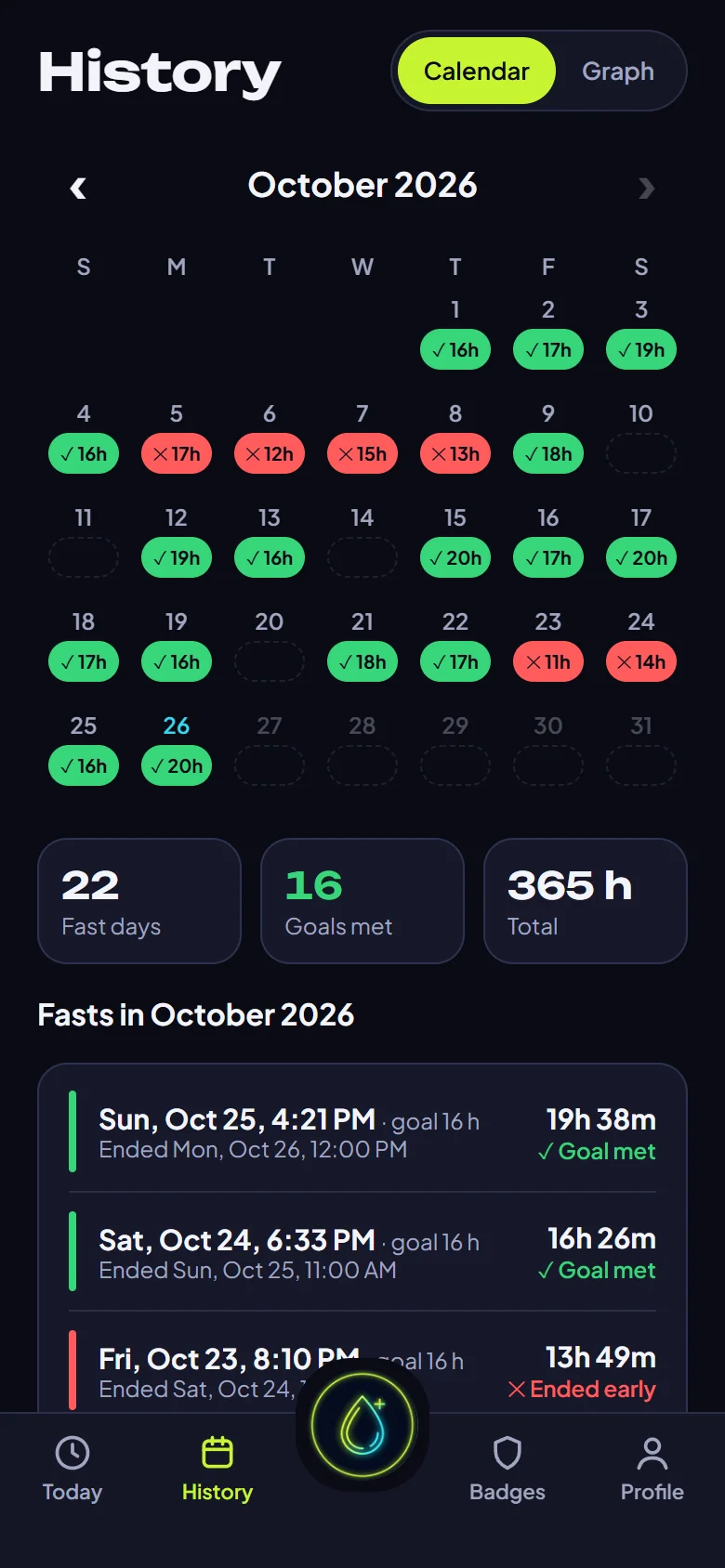
- From Journey, tap All fasts. Switch between Calendar and Graph, and move month to month with the arrows or by swiping.
- Green days met the goal that fast had at the time. Red days were fasts that ended early. Totals sit under the calendar, and the list below shows each fast with its length.
- Edit a fast: tap it, then Edit fast. You can change the start, end, plan and a note. Times cannot be in the future or overlap another fast.
- Delete one: slide it left and tap Delete, with Undo for a few seconds. Delete several: press and hold a fast, tap more, then tap Delete in the bar.
Share cards
Turn a fast into a card if you want to. It is always your choice, and PazzMo! shares nothing unless you tap Share.
- Start a card.After a fast, tap Make a card on the first food step or Choose a card in Fit Check. You can also tap Make a card on an entry in your Fit Check diary.
- Pick a design.There are ten: Ribbon, Fasting Dial, Picnic, Photobooth, Gallery Stripes, Calendar Page, Dawn to Dusk, Postage, Torn Paper and Ticket. Tap one, then Use this card, and swipe to see the others.
- Choose a shape.Post or Story. Your weight is only on the card if you turn that switch on.
- Tap Share.Your phone’s own share sheet opens, and you choose the app and the person. To keep a copy, choose Save Image there. PazzMo! has no in-app community.
A card shows the PazzMo! name, “Fasted”, the length of your fast, the date and your plan, and your photo only if you added one. It never shows your name, birthday, health answers or BMI. Please share only a photo of yourself, or of people who agree to be in it.
Plans and purchases
- Your first 24 fasts are free. The free version is the trial, so there is no free trial that turns into a charge. A cancelled fast gives its place back.
- After 24, a fast that is running can still be finished. Your history, charts, badges, diary, Journey, Lola, plans, reminders and backups stay free and nothing is deleted or hidden. To start new fasts, or log water, drinks, moods and weight, choose a plan.
- Choices: yearly, monthly or for life. The App Store shows each price in your own currency when you buy. Yearly and monthly renew automatically unless you cancel at least 24 hours before the period ends. For life is a one-time purchase.
- New phone or reinstalled? Open the plans screen and tap Restore purchases. Have an offer code? Tap Have an offer code?
- Cancel: on your iPhone open Settings, tap your name, then Subscriptions, and choose PazzMo!. In the app, tap Manage subscription on the plans screen.
Your data
- Your information stays on your phone. There is no account. The app only goes online for the App Store and for update checks. The privacy policy says exactly what that involves.
- Back up. In Profile, tap Back up my data to save one file to Files, iCloud Drive or AirDrop. It holds your fasts, drinks, check-ins, weights, diary and settings, but not your photos. Restore from a backup replaces what is on the phone, so it asks first.
- Delete photos. Profile, then Delete all my photos.
- Start over. Profile, then Delete all my data at the bottom. It shows what will be erased and offers to save a backup first, then you type START OVER. Your purchase and the number of free fasts used are not touched, and Restore purchases still works.
- Looks. In Profile, Appearance offers Dark, Rose night and Powder pink.
Safety
PazzMo! gives general information and is not medical advice. It is not for anyone under 18, anyone pregnant or breastfeeding, or anyone with a past or current eating disorder. Ask your doctor first if you have diabetes (especially on insulin or blood-sugar medicine), take medicine for blood pressure or the heart, have kidney or liver disease, or are underweight, frail or recovering from illness or surgery.
Stop and eat if you feel dizzy, shaky, confused or unwell. Please stop a fast if you faint or nearly faint, feel confused, have chest pain or a racing or pounding heart, vomit, or feel severely weak. If you feel very unwell, faint or are confused, get medical help now.
If food or fasting worries you, please talk to a doctor. In the Philippines you can call the NCMH Crisis Hotline on 1553.
Get help
Something not working, or a question this page does not answer? Write to us and we will reply.
PazzMo! is made by Yong Caballero, YC CREAT1VES, in Pampanga, Philippines.